Ever feel like you’re paying full price on Amazon while everyone else knows a secret handshake to get 20% off? You aren’t imagining it. There’s a goldmine of instant savings hiding right in plain sight on the site, and millions of shoppers scroll right past it every day.
We’re talking about Amazon Coupons. They don’t require a physical pair of scissors, Sunday newspaper inserts, or sketchy third-party sites that copy-paste expired codes. When you know how to find and use them, you can slash your total at checkout on everything from daily essentials to high-end electronics.
Here is your ultimate insider guide to hunting down the best Amazon coupon deals today, stacking your savings, and avoiding the sneaky traps that swallow your hard-earned cash.
What Are Amazon Coupons?
The Amazon coupon can be defined as a digital discount that comes with the options to download and save it into the Amazon account with a single click right before making the purchase. Rather than filling in a long line of letters and numbers, a consumer can simply “clip” the digital coupon from a product page or deal feed, and the discounted price will be automatically applied while checking out the purchase.
Unlike promo codes – which usually originate from external sellers or specific marketing campaigns – Amazon coupons live natively on the platform. You’ll see them pop up as bright green or orange badges beneath prices. They can knock off a dollar amount (like “$5 off”) or take a percentage slice right out of the total (like “Save 20%”).
How Do Amazon Coupons Work?
An advantage of Amazon digital coupons is their easy incorporation into the regular shopping cart. Here is how it works behind the scenes.
- Activation: The consumer determines the product that has the deal and uses the “Clip coupon” button.
- Account linking: Amazon attaches a coupon discount to the user’s profile in the given item variety (size, color, package).
- Cart recognition: A user adds the item to the shopping cart and proceeds to payment, and the system recognizes the clicked coupon.
- Checkout Deduction: The savings line item subtracts the promised amount right before you click “Place Your Order”.
No printouts. No extra typing. Just instant savings.
How to Find Amazon Coupons
Finding coupons isn’t hard once you know where Amazon hides them. If you rely strictly on standard keyword searches, you’re missing more than half the available deals.
- The Dedicated Amazon Coupons Page: Head directly to the Amazon store page. This hub organizes thousands of clippable discounts by category – beauty, home, electronics, groceries, and more.
- Search Results: As you type items in the search bar, scan for green or orange badges that say “Save 15% with coupon” under the main price tag.
- Product Detail Pages: Always look right under the list price on individual product pages. You’ll see a small checkbox waiting to be checked.
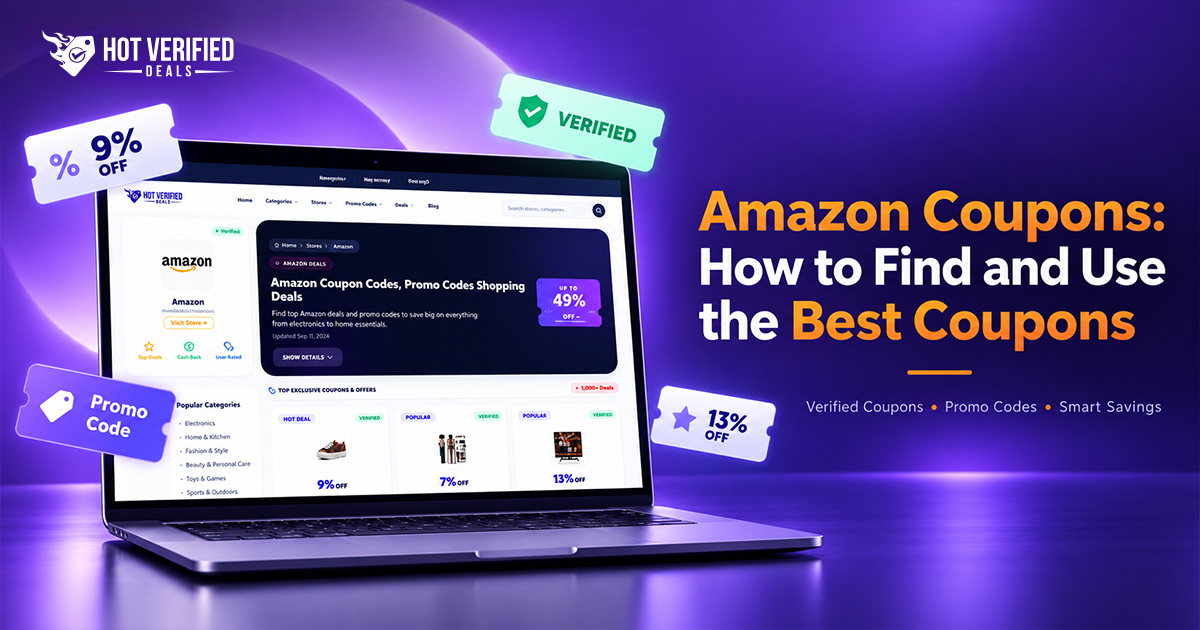
- Curated Deal Aggregators: Skip the manual digging by checking aggregator hubs like Hot Verified Deals or visiting their dedicated Amazon Store Page for real-time, verified coupon codes and offers.
How to Clip an Amazon Coupon
Clipping takes a fraction of a second, but if you skip it, you pay full price.
- Locate the Box: Below the listed price on a product page or inside search results, find the small “Clip Coupon” text box.
- Click or Tap: On desktop, click the box. On mobile, tap it.
- Verify the State: The box will change to a checkmark or display text reading “Coupon Clipped.”
- Select Your Options: Ensure you pick the exact size, color, or flavor variation tied to that offer, as coupons rarely cover every variation.
How to Use an Amazon Coupon at Checkout
Once clipped, the hard part is over, but you should always verify the math.
- Step 1: Add the clipped item to your shopping cart.
- Step 2: Click Proceed to Checkout.
- Step 3: Scan the right sidebar under Order Summary.
- Step 4: Look for a green or black line item that says “Your Coupon Savings.”
- Step 5: Complete your purchase.
Pro Tip: If you don’t see the coupon line item in your final order summary, stop! Do not submit the order. Go back, check that the coupon is still clipped, or verify that you chose the right product variation.
Amazon Coupons vs Promo Codes
It’s easy to confuse these two, but they behave differently at checkout.
| Feature | Amazon Coupons | Promo Codes / Discount Codes |
| Where to Find | On Amazon listing pages & coupons hub | External deal sites, newsletters, influencers |
| How to Apply | Click a checkbox to “clip” | Type/Paste code manually during checkout |
| Visibility | Visible to all eligible shoppers | Often restricted to specific promo links/audiences |
| Expiration | Set by seller budget or timeline | Fixed date or claim-limit based |
Amazon Coupons vs Deals and Discounts
You’ll also run into Lightning Deals, Gold Box Deals, and Price Cuts. How do these stack up against coupons?
- Automatic Price Reduction: The amount of the list price has been reduced (for example, changing the figures from $40 to $30). This does not require coupon clipping and everyone benefits from it.
- Lightning Deals: Sales on discounted goods with a time limit and a limited stock notice. Sales offer a quick price reduction but end in a few hours or when stock is sold out.
- Amazon Coupons: A separate discount given to users who take advantage of the coupons (the clip).
The best part? You can sometimes combine a price cut or Lightning Deal with a clippable coupon for a “double-dip” discount.
Where to Find the Best Amazon Coupons
Where to find the most exciting Amazon Coupons?
If you are looking for genuine Amazon discount coupons of today, you have to check the following:
- The Main Site: amazon.com/coupons has an accessible layout.
- Amazon Most Popular Coupons Tab: Inside the coupon hub, filter by “Most Popular” to see what other bargain hunters are clipping right now.
- Verified Deal Sites: Verified Deals like Hot Verified Deals are sites that gather working promo codes and verified coupons; thus, you do not waste your time testing a bad link.
- Subscribe & Save Section: If you are purchasing regular household items, the Subscribe & Save coupon page offers you amazing discounts, which range from 15% to 40% on your first purchase through their system.
Tips to Save More with Amazon Coupons
Do you want to become an expert in Amazon savings? Here are some tested methods you can implement:
- Combining with Subscribe & Save Program: You can use a 20% coupon on a product and order through Subscribe & Save for an additional amount of 5% or 15%. If you don’t need further product orders, you can cancel your subscription after the shipment of your order.
- Using Benefits of Amazon Prime: Prime clients can receive some exclusive coupons or get early access to high-value coupons.
- Be Aware of False Discounts: Sometimes, sellers can increase the initial price of a product right before introducing a 20% discount. Use price-tracking tools like CamelCamelCamel to make sure you’re getting a genuine bargain.
- Re-clip on Recurring Purchases: Coupons reset! If you buy the same garbage bags or coffee every month, check the product page every single time to see if a fresh coupon box has popped up.
Best Product Categories for Amazon Coupons
While you can find discounts across the board, certain categories consistently offer the highest-value coupons:
- Amazon Grocery Coupons: Coffee, pantry staples, snacks, and pet food regularly feature huge 15%-30% initial order coupons.
- Amazon Beauty Coupons: Skincare sets, makeup tools, hair care products, and electric razors are famous for deep dollar-off clips (e.g., “$10 off”).
- Amazon Electronics Coupons: Chargers, Bluetooth speakers, dash cams, and home security cameras almost always have hidden $5 to $40 coupons attached.
- Amazon Home and Kitchen Coupons: Air purifiers, robot vacuums, cookware sets, and bedding frequently run massive 20%+ discount coupons.
- Amazon Fashion Coupons: Apparel, seasonal clothing, shoes, and accessories regularly feature clippable percentage deals.
Common Amazon Coupon Mistakes to Avoid
Don’t let these sneaky traps ruin your checkout savings:
- Forgetting to Check the Box: Simply adding an item to your cart does NOT trigger the discount. You must click the clip button first.
- Selecting the Wrong Variation: A coupon might work for the ‘Blue’ size Medium shirt, but not the ‘Red’ size Large. Always check the badge after changing options.
- Assuming One Coupon Works for Multiple Quantity: Most Amazon coupons only apply to one single item in your order, even if you buy five of them.
- Letting Clipped Coupons Expire: Clipping a coupon doesn’t lock in the price forever. If the seller runs out of their coupon budget, the offer vanishes from your account before you check out.
How can I save more money using Amazon coupons?
Stack your clippable coupons with Subscribe & Save discounts, look for double-dip promo codes, and verify price histories so you only buy genuine sales.
Now that you know where the clip buttons live and how to stack them like a pro, you never have to pay full retail on Amazon again. Head over to Hot Verified Deals right now to grab the latest verified codes, start clipping, and keep more money in your pocket today!
FAQs About Amazon Coupons
Amazon coupons are digital discounts you can “clip” directly on product listings or the Amazon coupons hub. They automatically subtract a set dollar amount or percentage from your purchase at checkout.
Visit Amazon store page, browse product pages for green/orange coupon badges, or check verified deal aggregators like Hot Verified Deals.
Look for the checkable box or button marked “Clip Coupon” under the product price, then click or tap it until it confirms it’s clipped.
Once clipped, simply add the eligible product to your cart. Go to check out, and the system automatically deducts the savings in your order summary.
Yes! Amazon coupons are 100% free for shoppers. You do not need special paid subscriptions to clip standard coupons
In many cases, yes! If a seller offers a clippable coupon on the page AND provides an external promo code, Amazon will often let you stack both at checkout for maximum savings.
Yes. Amazon coupons have expiration dates or total budget caps set by the seller. Once the allocated budget is used up or the date passes, the coupon vanishes.
You can find active offers today on the main Amazon Coupons page, via the Amazon mobile app’s deal tab, or on curated savings hubs like Hot Verified Deals.
Yes. Amazon frequently releases Prime-exclusive coupons that only appear for logged-in Prime subscribers.